This article explains how to create multiple Training Needs Analysis (TNA) records (records in the People and Training module of Assure that map an employee's training requirements to a group of courses via a Qualification, also known as a TNA Template) simultaneously from a single TNA record. When creating a new TNA record, an administrator can assign multiple employees at the same time, causing Assure to generate one individual TNA record per employee. This method saves time when onboarding groups of employees or assigning the same training requirements to multiple people at once.Module scope: This article is scoped to the People and Training module in Assure, specifically the Training Needs Analysis sub-area.
Overview
When creating a new Training Needs Analysis (TNA) record in Assure, it is possible to assign multiple employees simultaneously. Assure then creates a separate TNA record for each selected employee in a single operation.
Steps: Bulk Create TNA Records
Step 1: Navigate to Training Needs Analysis
Navigate to Modules > People > Training Needs Analysis.
Step 2: Create a New TNA Record
Click the New Record button on the right-hand side of the list view.

Step 3: Expand the Employee Section
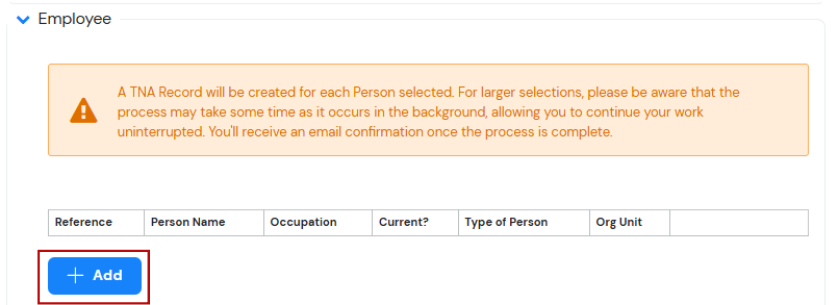
Within the new TNA record, expand the Employee section and click the Add button.
Step 4: Select the Required Employees
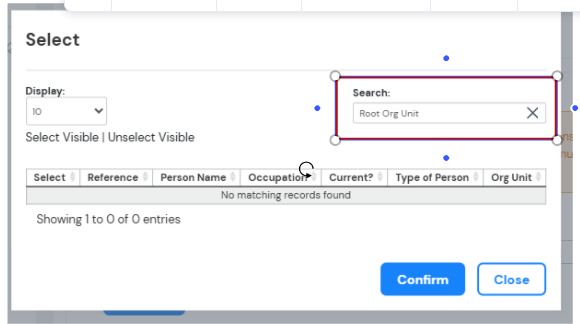
A list of available employees displays. Tick the checkbox next to each employee to include in this TNA record.
Click Select once all required employees have been ticked. If you do not see expected results ensure you are searching for the correct Org Unit.

Step 5: Select the Qualification
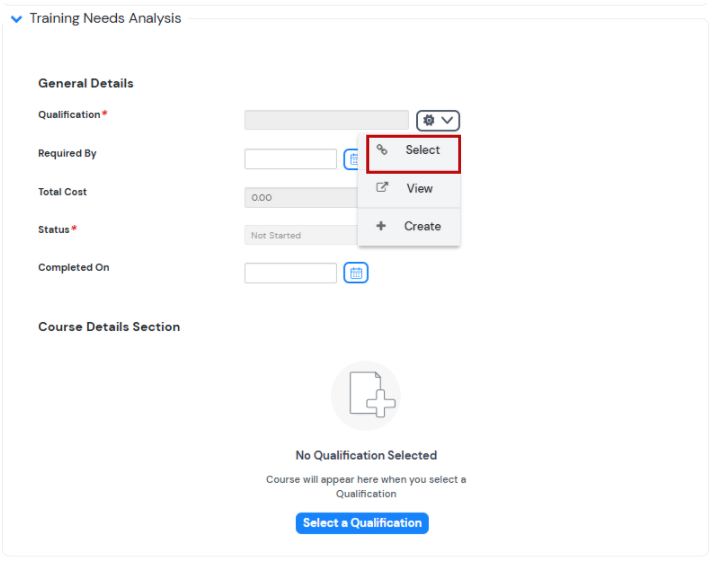
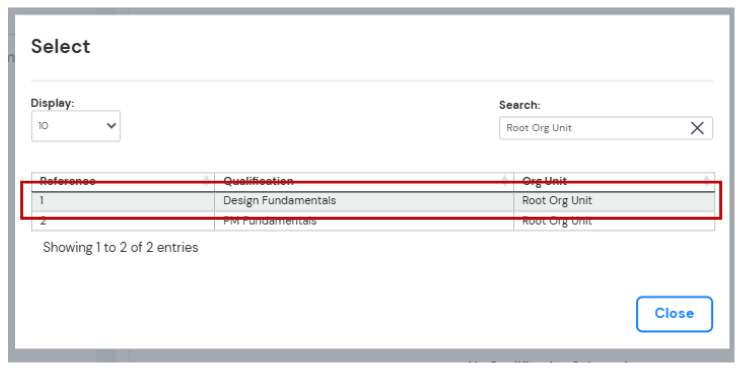
Select the Qualification (a TNA Template, the reusable group of training courses mapped to a particular role) to apply to all selected employees.
Step 6: Save and Close
Click Save and Close.
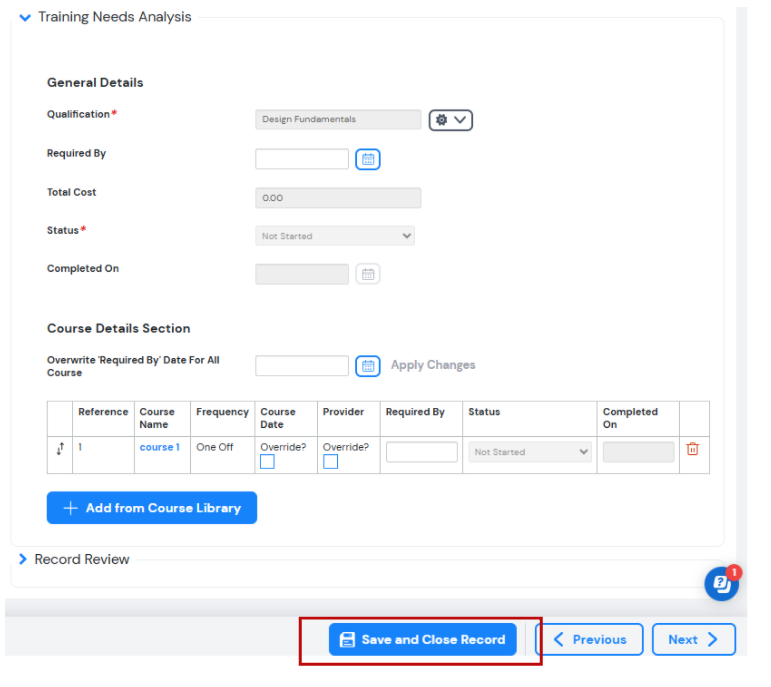
Step 7: Confirm the Records
Navigate back to the Training Needs Analysis list view. A separate TNA record will now be visible for each employee selected in Step 4.
Notes
- All employees selected in Step 4 receive the same Qualification applied in Step 5.
- Each employee receives an independent TNA record. These records can be edited individually after creation.
AI Metadata
Product Area: Assure -- People and Training module, Training Needs Analysis
User Role: Assure Administrator; Training Manager; HR Administrator
Tags: TNA, Training Needs Analysis, Bulk Create TNA, Qualification, TNA Template, Employee, People and Training, New Record, Training Records
Version/Region: All Assure versions; all regions
Important synonyms:
- Training Needs Analysis = TNA = training requirement record
- Qualification = TNA Template = Job Role Template
- Employee = person, worker
- People and Training module = People module
- New Record = create record
Suggested embedding keywords: bulk create TNA records Assure, create multiple TNA records, assign TNA multiple employees, training needs analysis multiple employees, bulk TNA Assure, assign qualification multiple employees Assure, create TNA records simultaneously, People module TNA bulk create
Relevant modules and cross-module implications: This article is scoped entirely to the People and Training module in Assure, specifically the Training Needs Analysis sub-area. When the TNA record is saved, Assure automatically generates individual Training Records for each employee against the courses included in the selected Qualification (TNA Template). The Training Records created are managed and viewable in Modules > People > Training Records.