How to Link Claims Management to a Vehicle incident Record
If you require to link a Vehicle Incident Record to a new or existing Claims Management Record, this can be done whilst creating or editing the Claims Management Record.
Navigate to Modules > Incident > Claims Management
Click New Record, or click Edit, via the menu cog, on an existing record.
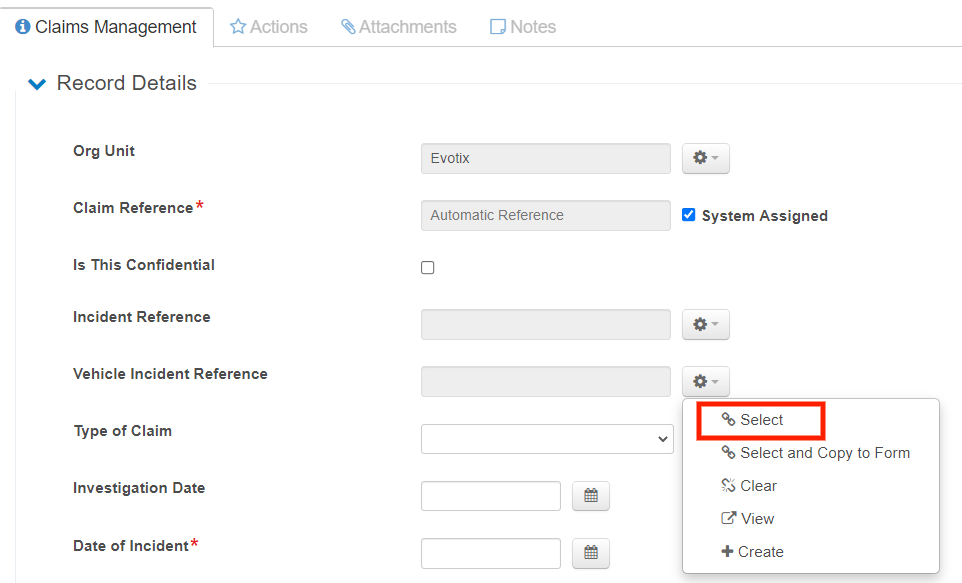
Near the top of the form, there are two fields which allow you to link either an Incident or a Vehicle Incident Record to your Claims Records.
Simply click the menu cog button next to the relevant field and select the related record you wish to link.
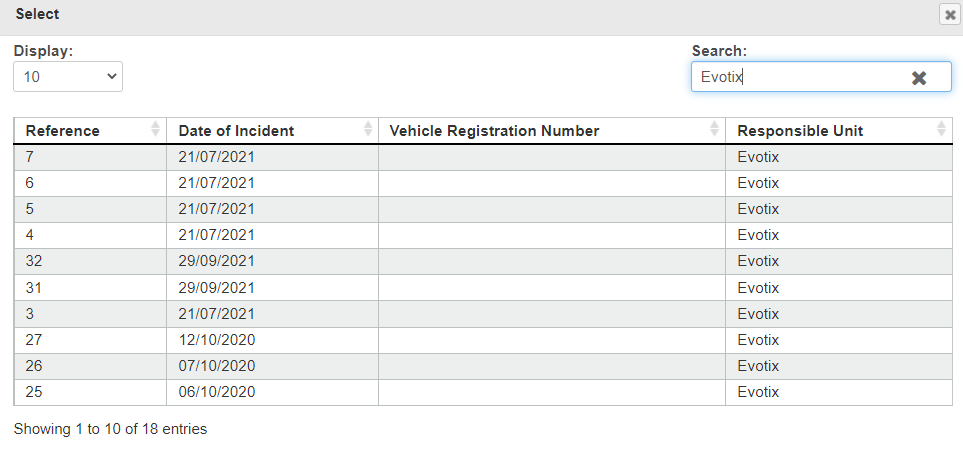
Click on the required Reference to select the record. This will auto populate the field on the Claims form.
Enter the rest of the required details for your Claims Record and click Save & Close at the bottom of the page.