COVID-19 Help Point and Submissions Portal Configuration
This article aims to provide guidance on how to replicate the configuration of our new example COVID-19 Assure Portal to fit your business needs.
Configuration within the following areas of Assure will be required to replicate the functionality of our example portal:
Picklist Data Dictionary Configuration
- Type of Incident
- Incident Sub Type
- Incident Third Level
- Hazard Category
- Hazard Phrases
- Control Phrases
- A copy of our standardised General Risk Assessment mixed IQ Templates for COVID-19 can be requested by reaching out to your Customer Success Manager to arrange them to be imported to your Assure instance.
- Creating a specific Incident Report form
- Creating a specific General Risk Assessment form
- Adding the Questionnaires to an existing Portal
- Adding the Questionnaires to a new Portal if creating one specifically for COVID-19
- Creating a specific Notification alert
- Email Template
Picklist Data Dictionary Configuration
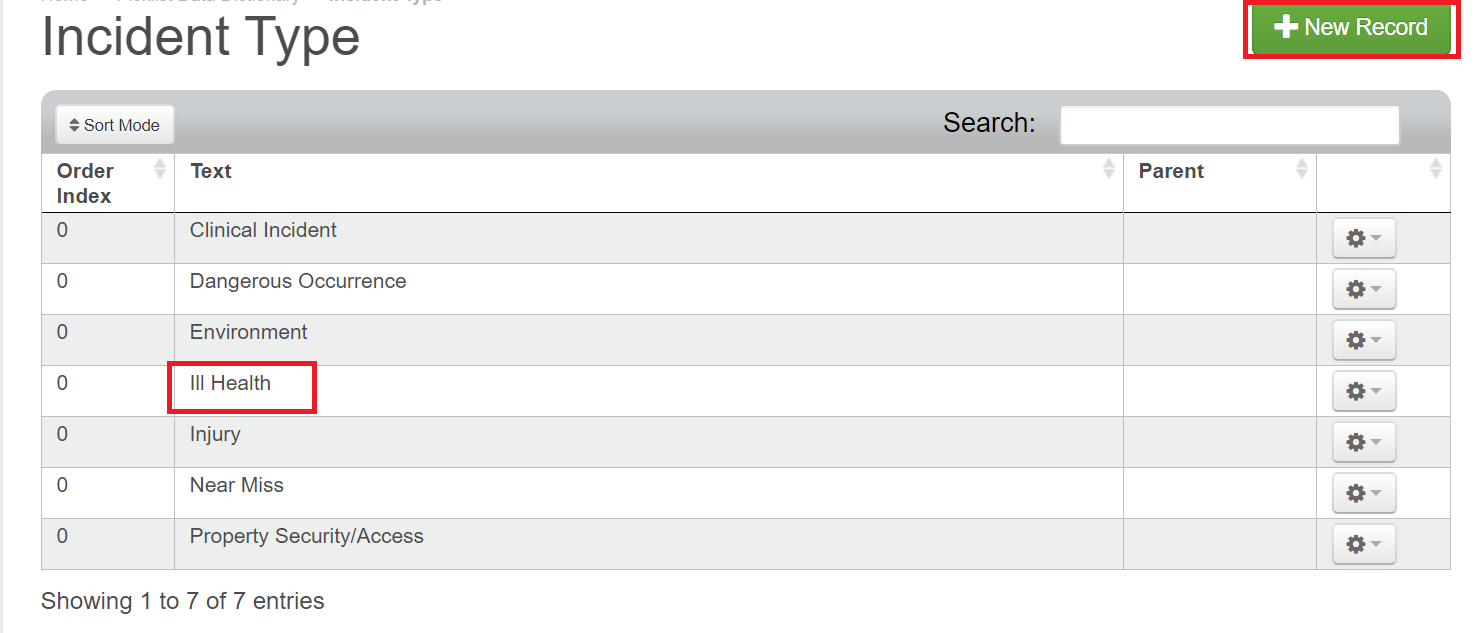
Below are the examples of the picklist values that have been added to the Incident Type, Incident Sub Type and Incident Third Level picklist dictionaries.
A new value named Ill Health has been added to the Incident Type picklist.
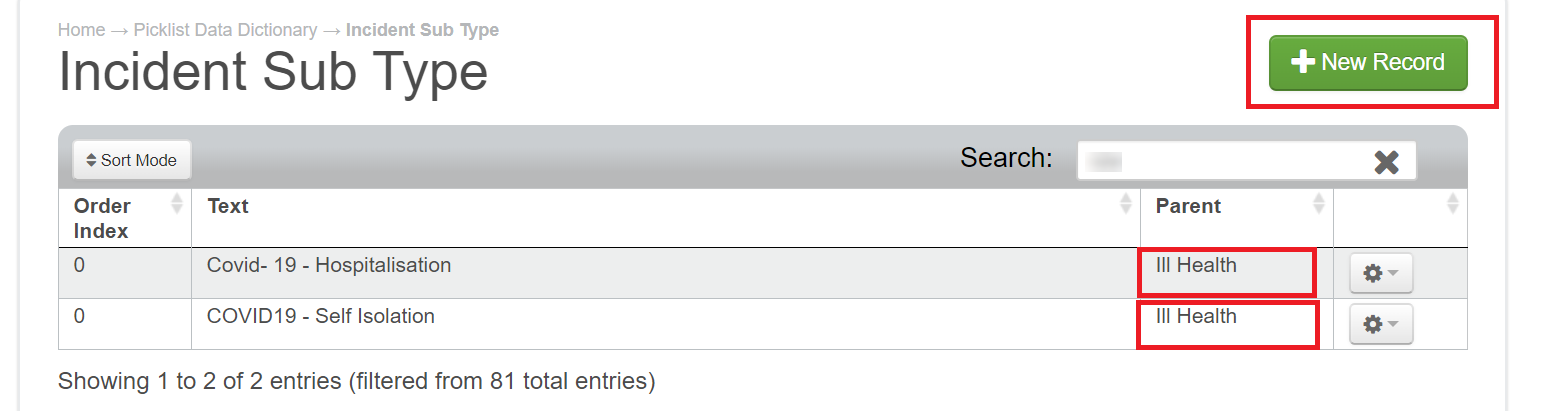
The new values added to the Incident Sub Type list have Ill Health set as their Parent from the Incident Type picklist
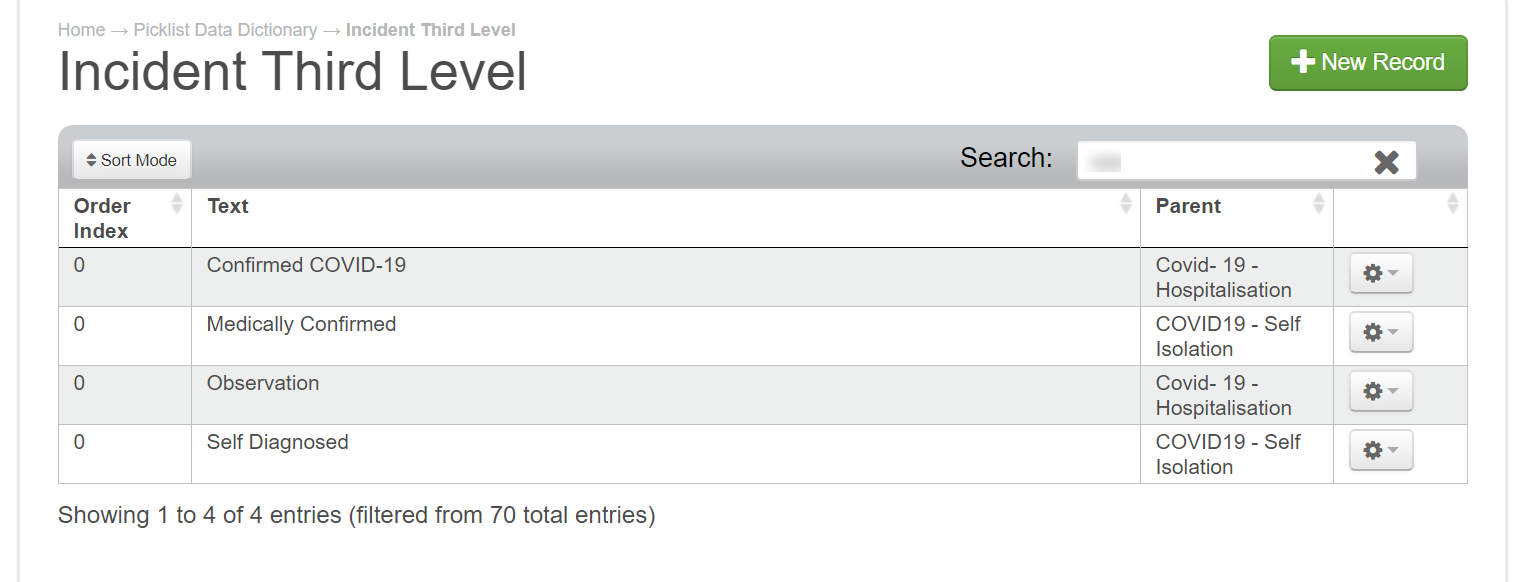
The following values added to the Incident Third Level picklist have either Covid- 19 - Hospitalisation or Covid- 19 - Self isolation set as their Parent from the Incident Sub Type picklist.
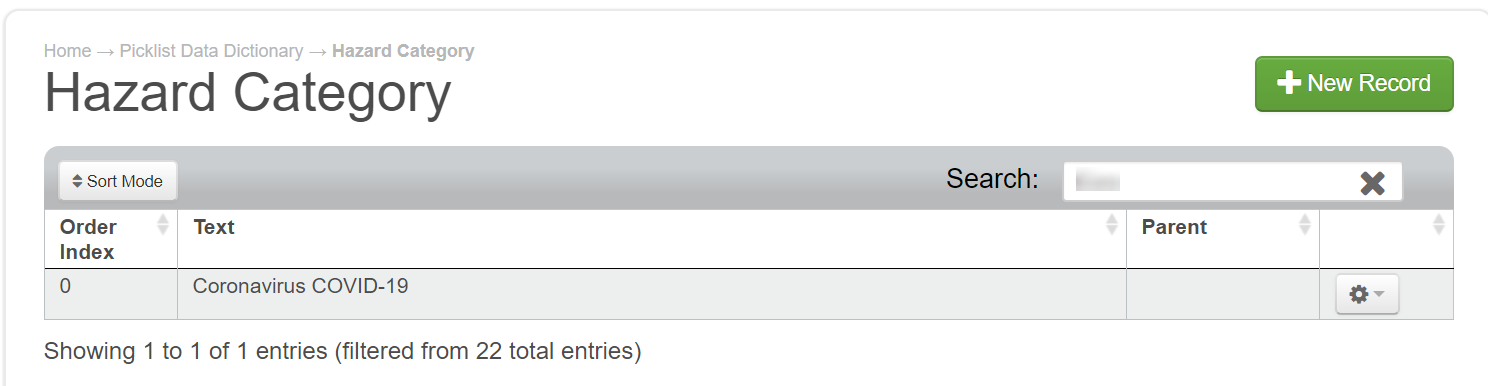
The Hazard Category picklist has been updated to include a Coronavirus COVID-19 option.
Hazard Phrases and Control Phrases can then be added to the relevant picklists.
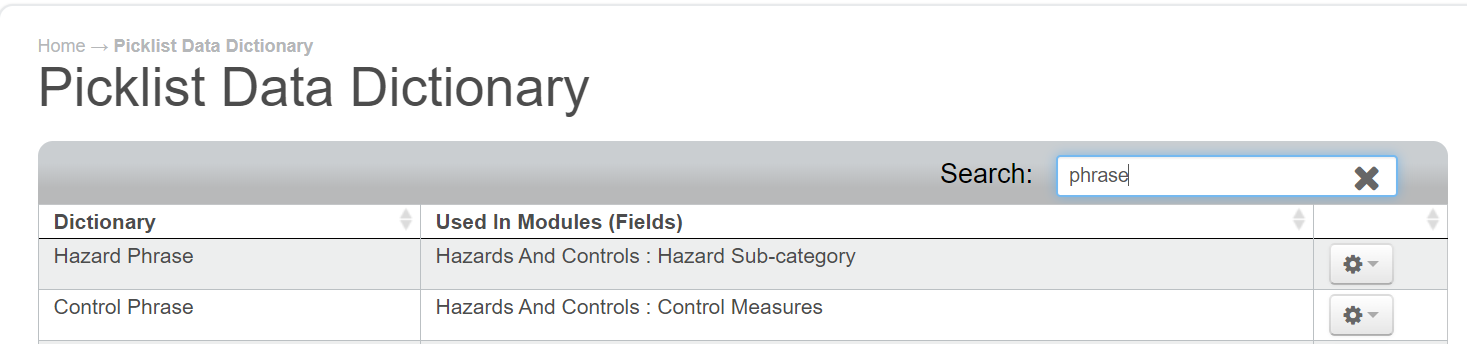
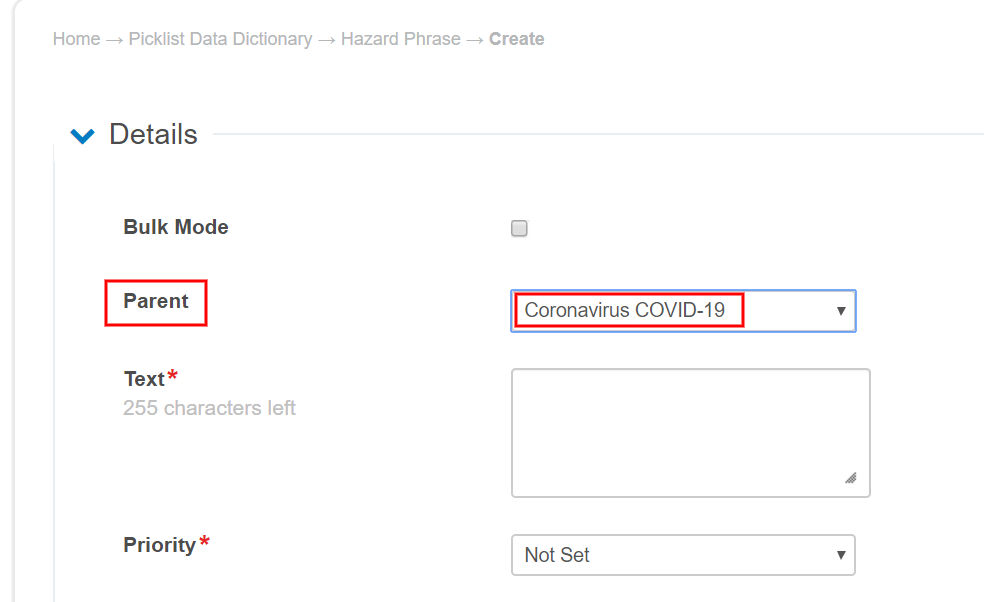
Please ensure you add the Coronavirus COVID-19 Hazard Category as their Parent.
For more detailed steps on how to configure your picklists on Assure please click on the link to the article below:
IQ Templates
We have created several mixed IQ Templates which are linked to the General Risk Assessment form on our COVID-19 dedicated Portal Dashboard.
You can request a copy of this mixed IQ Templates via your Customer Success Manager who will arrange them to be imported into your Assure instance.
Please note: The Advanced IQ functionality needs to have been purchased for your Assure instance in order to use mixed IQ Templates. Please refer to your Customer Success Manager for more information on this.
You can create your own IQ Templates on Assure if you wish to form your own COVID-19 based template by following the article below:
Questionnaires
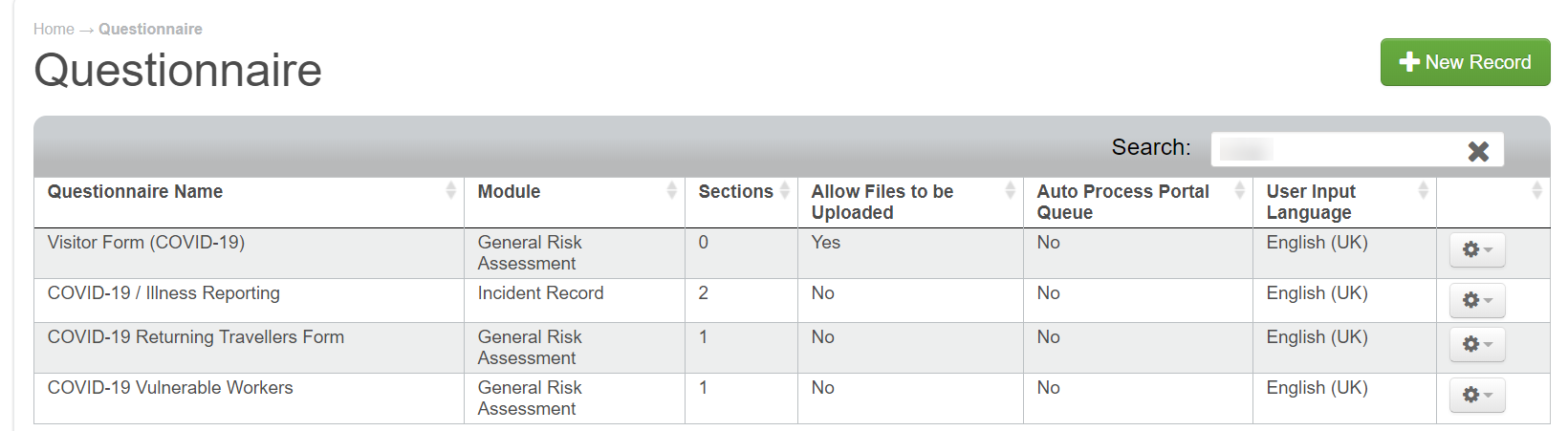
We have created the following Questionnaires for the example Portal:
- COVID-19 / Illness Reporting, which is linked to the Incident Record module.
- Visitor Form (COVID-19), which is linked to the General Risk Assessment module.
- This has our mixed IQ Template called COVID-19 Visitor Form which has been added to also be completed via the Portal.
- COVID-19 Returning Travellers Form, which is linked to the General Risk Assessment module.
- This has our mixed IQ Template called COVID-19 Returning Travellers Form which has been added to also be completed via the Portal.
- COVID-19 Vulnerable Workers, which is linked to the General Risk Assessment module.
- This has our mixed IQ Template called COVID-19 Vulnerable Workers which has been added to also be completed via the Portal.
The Screenshot below shows the four Questionnaires within the Questionnaire list view.
This one shows the two sections that have been added to the COVID-19 / Illness Reporting Questionnaire.
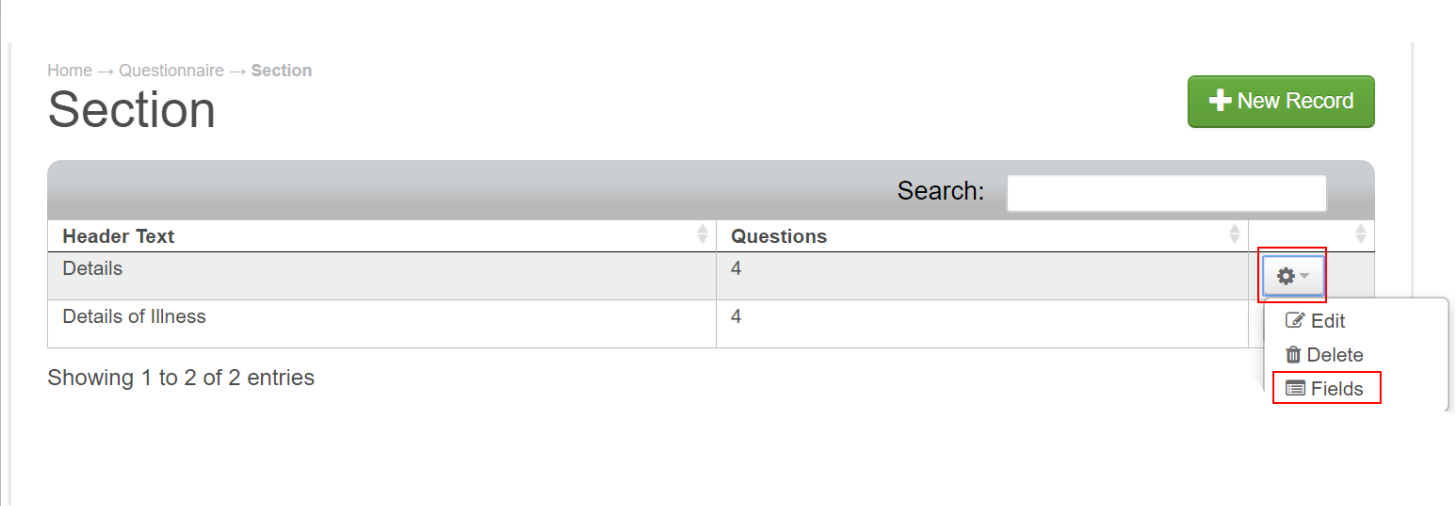
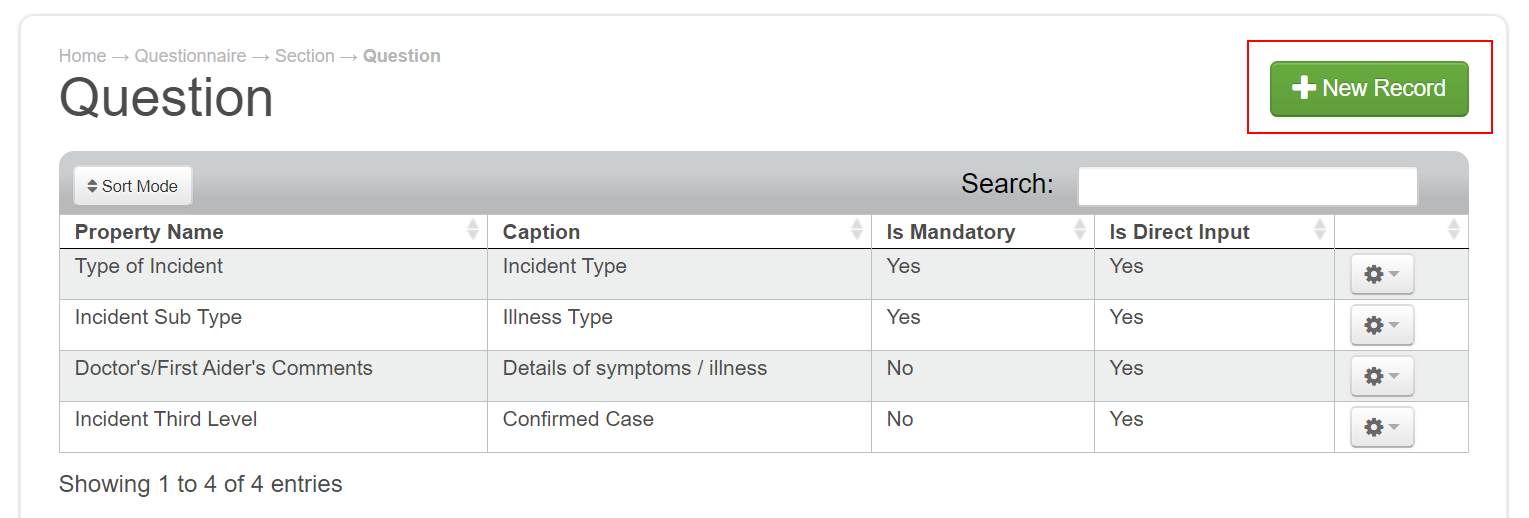
The screenshot below shows the four fields that have been added to the Details of Illness section, we have captioned the field names to show differently on the Portal form.
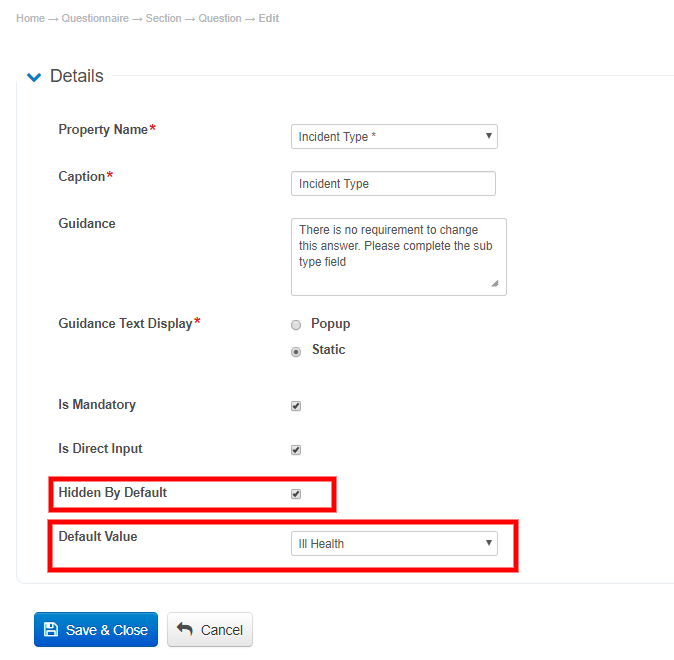
The Incident Type field has been added, and within the configuration, it has been given a default value of Ill Health and has been hidden from the user in the Portal form.
This allows the earlier configuration on the picklists to take effect for the Incident Sub Type and Incident Third level fields.
For more detailed steps on how to create a new Questionnaire in Assure, please click on the link to the article below:
Portal Dashboard
Once you have created your Questionnaires, the next stage is to add them to an existing Portal Dashboard in your Assure instance. If you have purchased an additional Portal, you may wish to use this to create a standalone COVID-19 Portal as we have in our example Portal.
The article link below explains how to edit an existing Portal Dashboard to include the newly created Questionnaires, or if you wish to create a new Portal Dashboard for this specific topic:
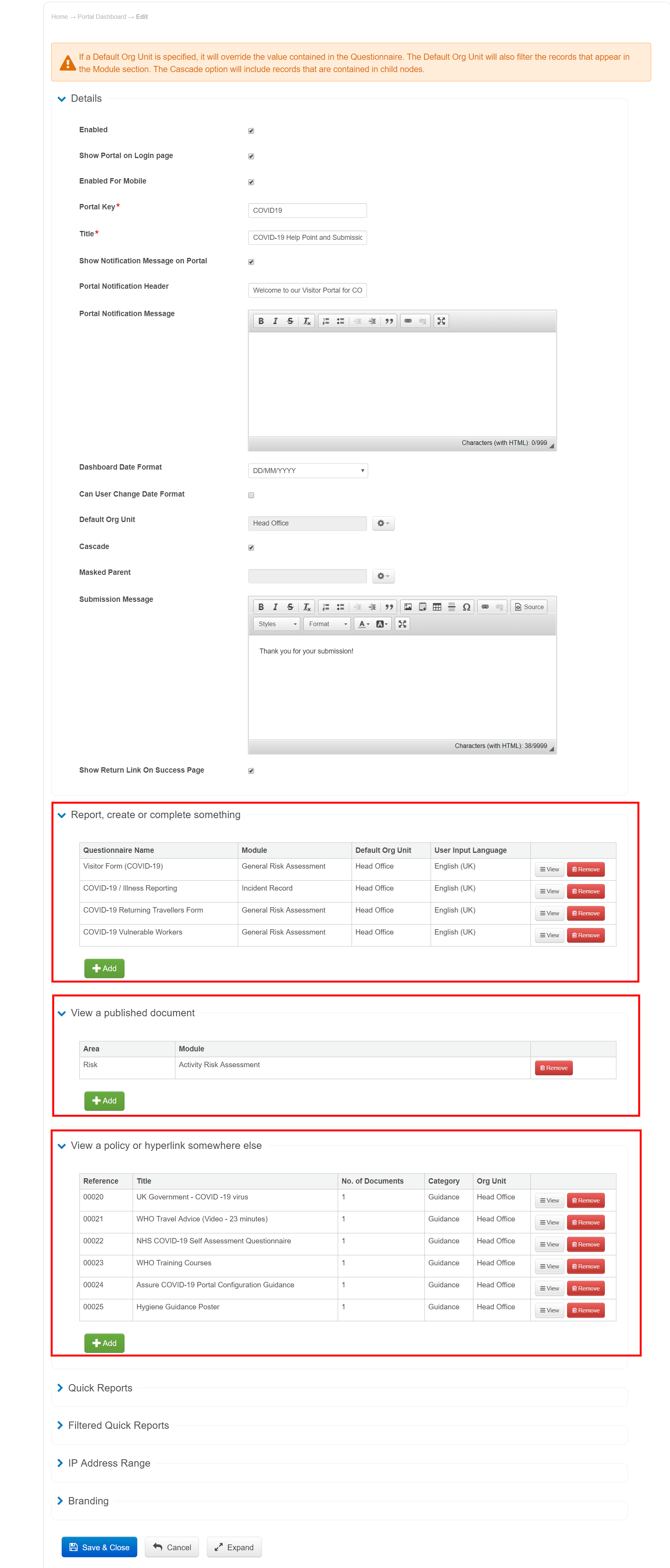
Our Portal Dashboard configuration as shown below has published example Risk Assessment records to view on the Portal. We have also added additional policies and useful links for further information in the matter.
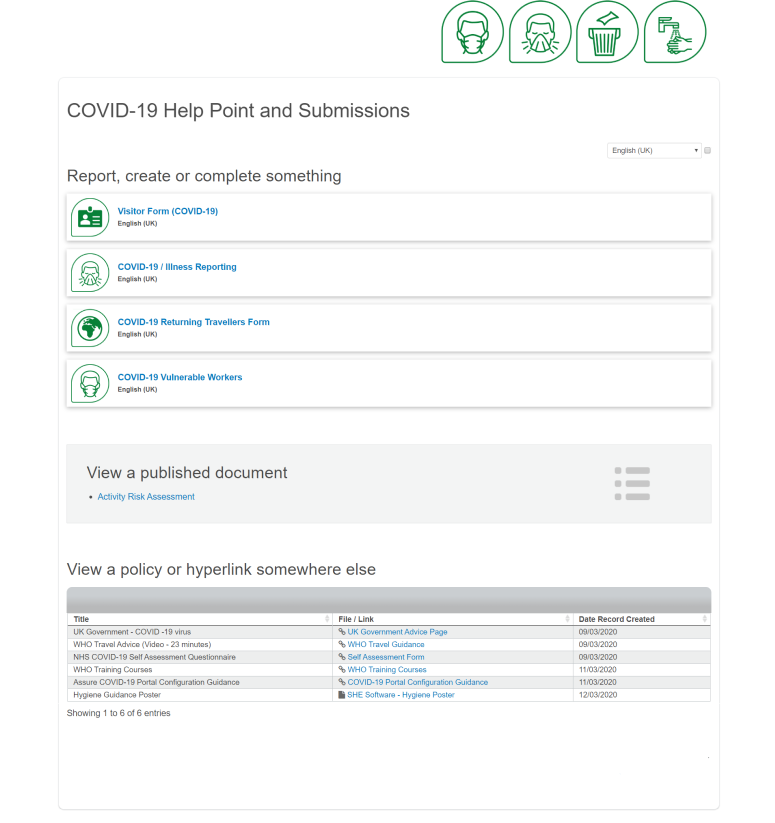
Below is a screenshot of our COVID-19 Help Point and Submissions Portal layout.
Notifications
Once the Portal Dashboard has been configured, you will want to be notified right away of any forms that are being completed in the Portal.
You can configure an email Notification with its own Email Template to trigger to the relevant users' in your Assure instance when the COVID-19 / Illness Reporting form has been completed.
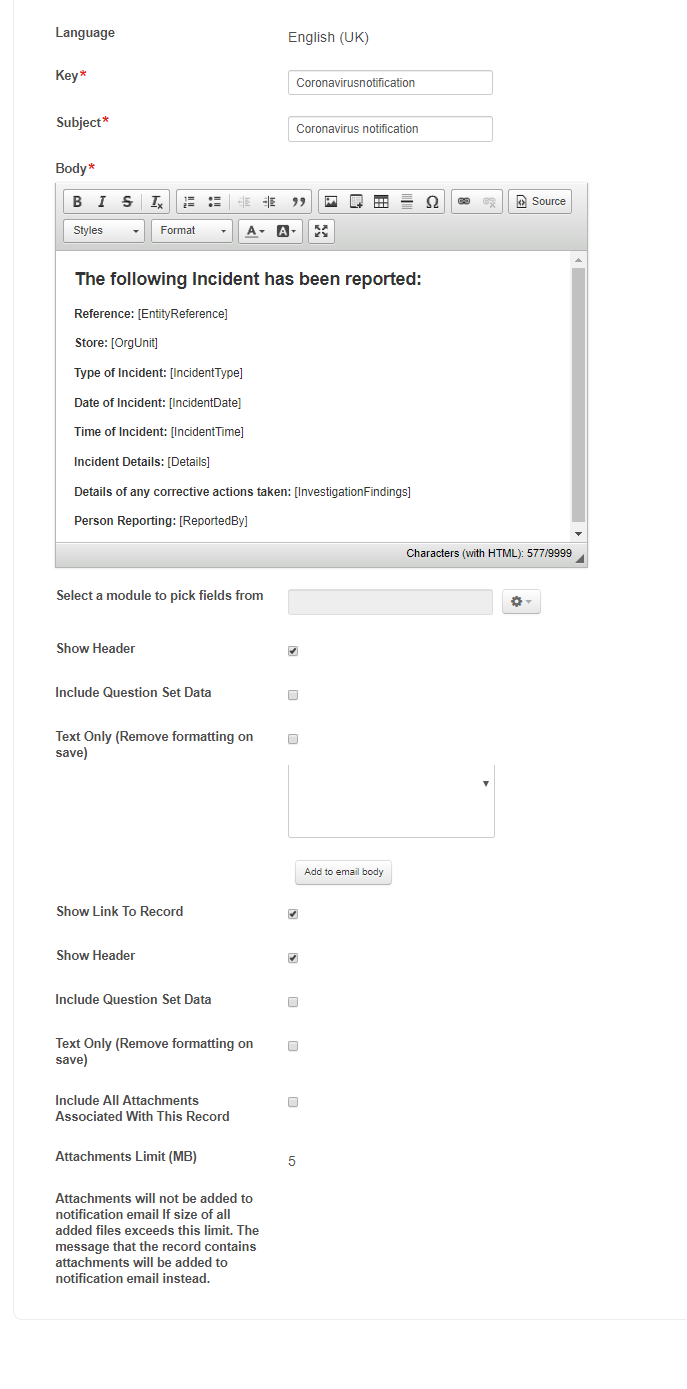
Below are examples of an Email Template configuration and a Notification Configuration
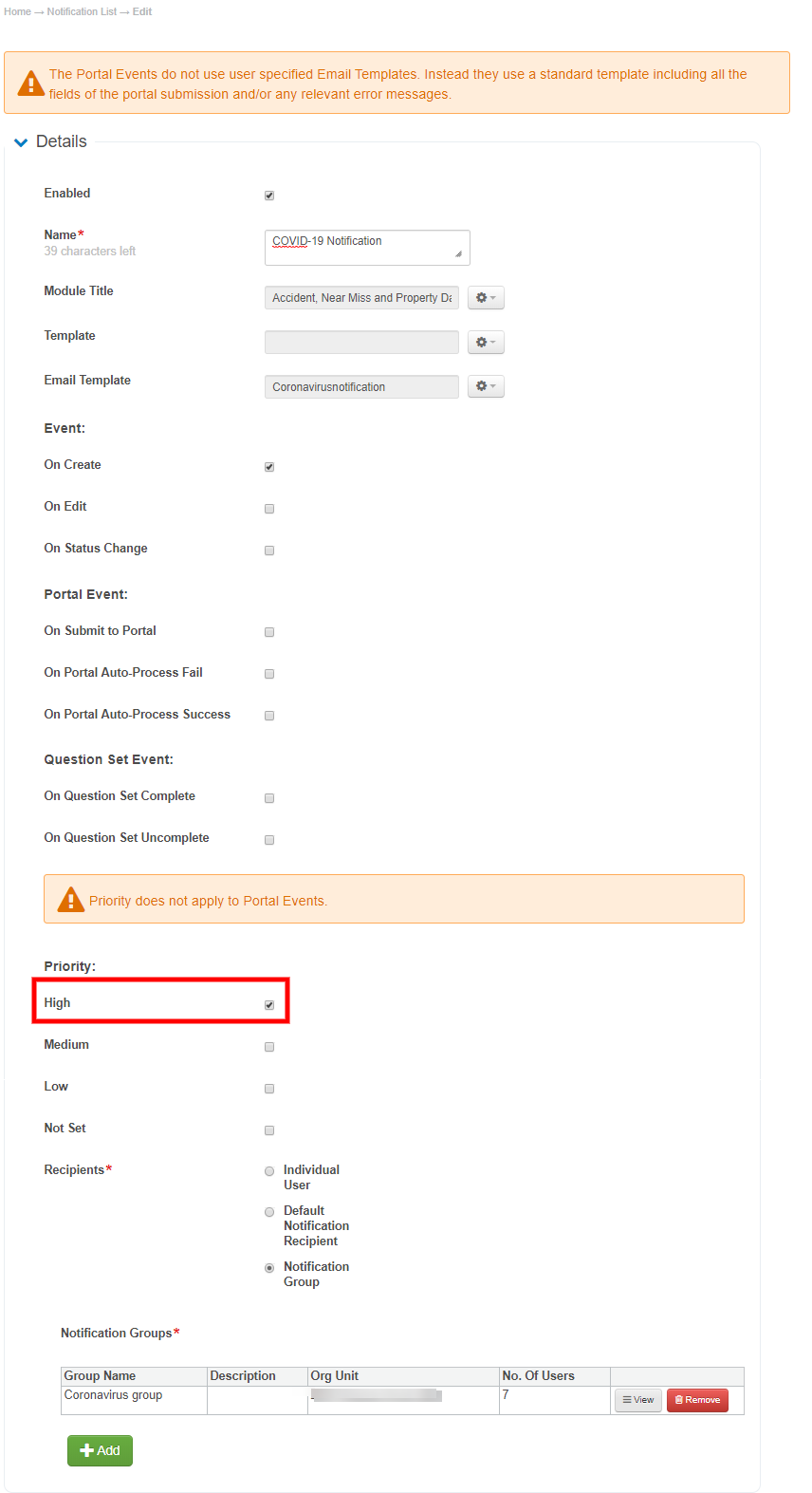
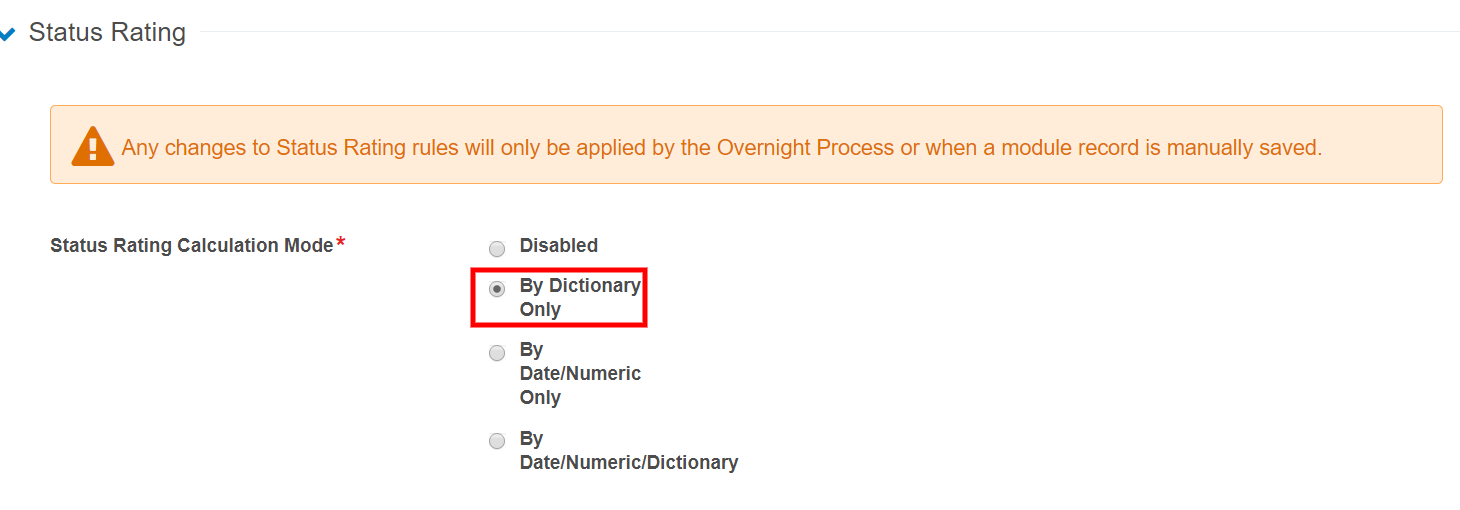
Please ensure that Status Rating has been enabled for the module and set to By Dictionary Only.
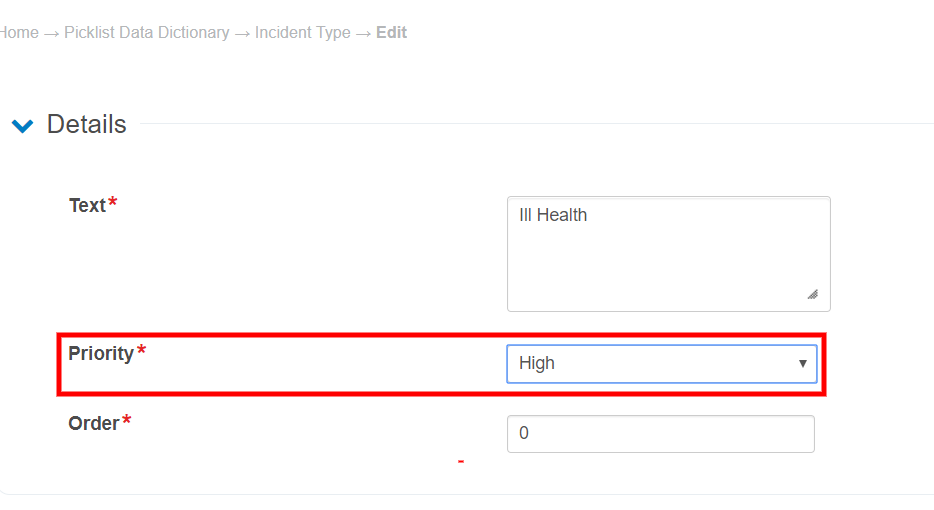
You will also have to ensure that the options added to your Incident Type picklist have been given a High Priority.
For more detailed steps on how to create a new Notification and email Template on Assure please click on the links to the articles below:
Insights
Insights will pull through the data as normal to the relevant widgets within the Incident Record Dashboard for Incident Type, Incident Sub Type and Incident Third Level, along with adding the records to the overall Incident count.
Customers' with Designer licencing on Insights can create their own dashboards with this data if they wish, but unfortunately due to current circumstances we have no Solution Architects available for configuration.